
Explore weapon skin concepts
Generate ideas for colorways, patterns, wear, themes, and visual identity before detailed finishing.
CS2 Workflow
Create CS2 weapon skin directions from prompts, preview ideas on weapon models, and move faster through visual exploration before final polish.
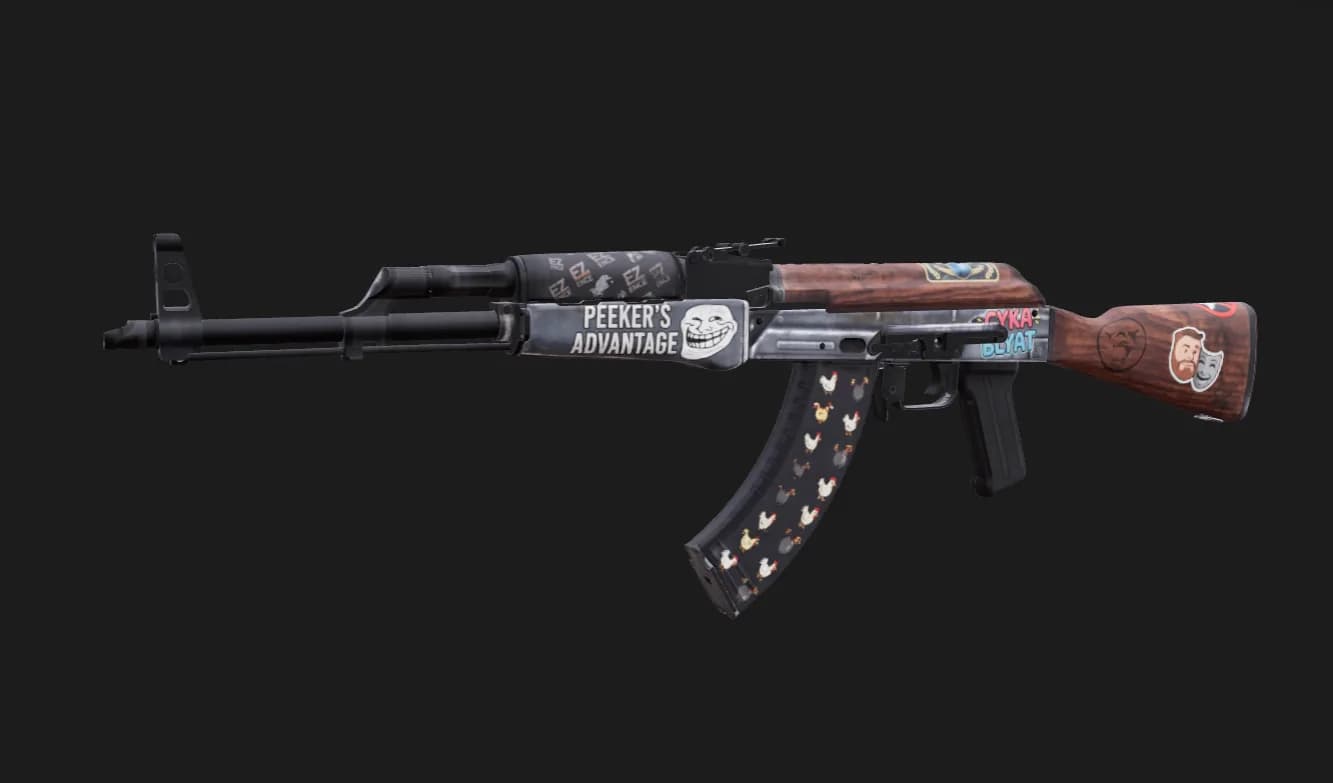
Generate ideas for colorways, patterns, wear, themes, and visual identity before detailed finishing.
See how texture direction reads on CS2-style weapon assets instead of judging only flat files.
Use generated outputs as concept bases for refinement, testing, and final texture preparation.
Workflow
Choose the weapon skin generator flow and select a weapon direction to explore.
Describe pattern language, color, finish, theme, rarity feel, and wear direction.
Review the generated concept on the weapon and continue polishing your strongest direction.
Comparison
Traditional CS2 skin workflows start with a blank UV atlas and hours of hand-painting before you know if a pattern reads on the weapon. TextureFast generates skin directions from a prompt, previews them on CS2 weapon models, and exports texture maps you can refine for Workshop submission — cutting early exploration time compared to painting every concept from scratch.
How-to guide
TextureFast helps you go from a written skin concept to a visible weapon preview and exportable texture maps. Workshop submission, file packaging, and Valve review remain your responsibility.
Open the CS2 skin generator workflow and select the weapon you want to skin. Each preset matches common CS2 weapon UV layouts used in the preview.
Describe pattern scale, colorway, wear, theme, and focal areas — treat the prompt like art direction for a finish, not a single flat color.
Inspect the result on the weapon mesh. Revise the prompt if details are too noisy or important elements sit on low-visibility UV regions.
Download generated maps and continue in your preferred editor for final polish, screenshots, and CS2 Workshop packaging per current Valve requirements.
Use Cases
FAQ
No. TextureFast helps create and preview texture concepts; final Workshop packaging and submission remain part of your CS2 creator workflow.
Yes. The workflow is built for fast prompt iteration so you can compare several visual directions before refining one.
The CS2 skin generator includes weapon presets such as AK-47, M4A4, and AWP with UV layouts matched to the in-app 3D preview.
You can download generated texture maps as PNG files and continue polishing in your preferred editor before CS2 Workshop packaging per current Valve requirements.
Patterns that look good flat often fail at gameplay distance or sit on low-visibility UV islands. The weapon preview catches scale, noise, and placement issues before you invest in final polish.
Yes. Treat the prompt like art direction — material, color blocks, wear direction, theme, and focal areas — rather than a single flat color.
TextureFast accelerates concept exploration and base texture generation. Most creators still refine details, screenshots, and Workshop files in their established CS2 tooling.
Open the current TextureFast workflow, generate a few directions, then keep the output that best matches your production target.