
Create clothing ideas from prompts
Describe a hoodie, armor set, streetwear look, uniform, or themed outfit and generate a texture direction.
Roblox Workflow
Generate clothing texture concepts for Roblox avatars, preview ideas quickly, and move from prompt to upload-ready clothing assets faster.
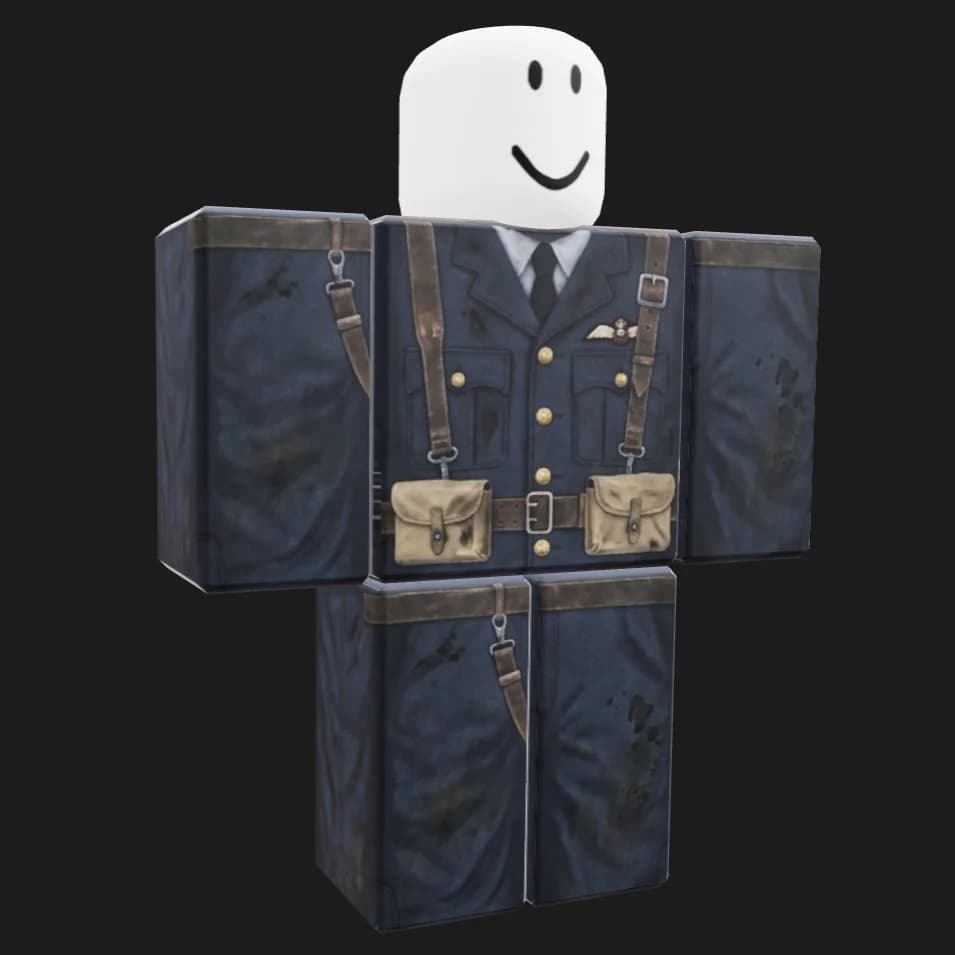
Describe a hoodie, armor set, streetwear look, uniform, or themed outfit and generate a texture direction.
Check how the design reads on an avatar-style preview before committing to final files.
Use TextureFast to explore more styles without starting every shirt or pants design from a blank template.
Workflow
Open the Roblox clothes creator and start from the avatar clothing flow.
Prompt the style, colors, theme, material, and details you want on the clothing.
Review the generated texture and export a final file for your Roblox clothing process.
Comparison
Drawing every Roblox shirt and pants panel by hand in a 585×559 template is slow when you only have a style idea, and generic AI image tools do not preview how fabric reads on an R6 or R15 avatar. TextureFast is built for Roblox clothing: prompt an outfit, preview it on a block avatar, and export an upload-ready PNG — faster than manual painting for ideation and merch drops.
How-to guide
Roblox clothing uploads use a fixed 585×559 template. TextureFast generates designs on that canvas and lets you preview how they read on R6 or R15 block avatars before export.
Use the public workflow at /roblox-clothes-creator or the dashboard Roblox tab after sign-in. Pick R6 or R15 preview mode.
Prompt fabric, theme, color blocks, and large readable details that survive Roblox avatar scale — avoid tiny text or micro-patterns.
Compare variations on the block avatar. Check sleeve placement, torso readability, and pants leg alignment before exporting.
Download the 585×559 PNG and upload through Roblox Create. You are responsible for marketplace rules, originality, and account permissions.
Use Cases
FAQ
Yes. The Roblox workflow is tailored around clothing texture creation and avatar-style previewing instead of generic 3D model texturing.
The workflow is designed for Roblox clothing texture creation, including shirt and pants-style outputs.
TextureFast exports clothing textures at 585×559 pixels — the canvas size Roblox expects for classic shirt and pants uploads.
Yes. The Roblox clothes creator includes R6 and R15 block-avatar preview modes so you can check sleeve, torso, and leg placement before export.
No. TextureFast generates and exports the clothing texture file. You upload through Roblox Create and remain responsible for marketplace rules, originality, and account permissions.
Manual template painting works, but every panel starts blank. TextureFast generates full outfit directions from a prompt and lets you compare variations on the avatar preview before committing to a final 585×559 PNG.
Yes. Use the Roblox clothing workflow for avatar shirts and pants, and the standard texturing dashboard for UV-unwrapped meshes you import into Roblox Studio.
Open the current TextureFast workflow, generate a few directions, then keep the output that best matches your production target.